# (20) 顯示產品或課程的購買次數

#### **顯示產品或課程的購買次數**
<img src="https://cdn.rakosell.com/094f4563-60ab-49a7-b8e6-cbb02a66f39a/noroot.png" alt="" height="313" width="729">

<div><img src="https://cdn.rakosell.com/b9625976-91ff-4ce7-99bb-488e5fd25de0/noroot.png" alt="" height="260" width="185"> <img src="https://cdn.rakosell.com/30dd21fd-0de8-40be-8d09-7929ebd9c3ba/2.png" alt="" height="195" width="541"> <img src="https://cdn.rakosell.com/c8d7df70-6e88-48db-ba4c-e873a75ec19d/2.png" alt="" height="259" width="350"></div>

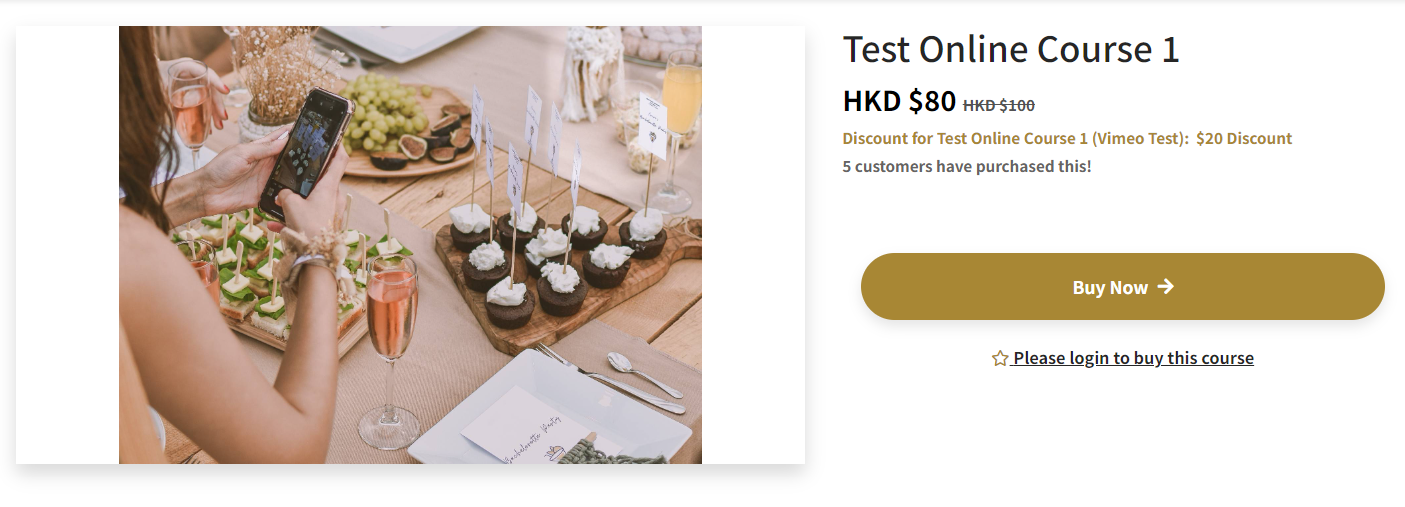
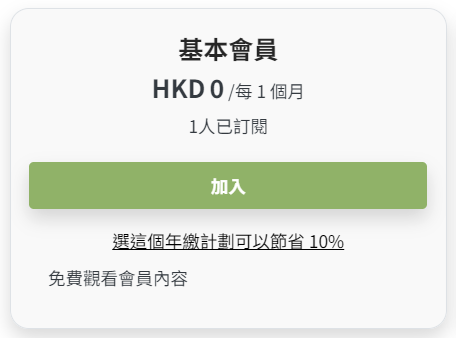
平台升級後，當會員購買您的產品或課程後在課程欄下會顯示購買次數，這將提高您的產品或課程的可信度。同樣地，您亦可顯示已訂閱會員計劃的人數。

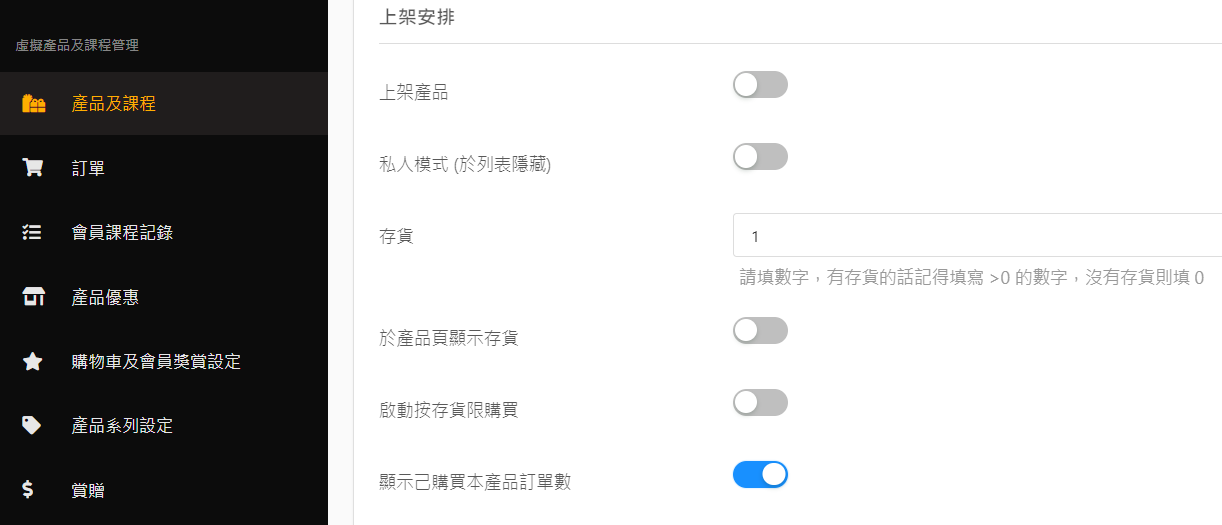
**如何設定產品購買次數：** 產品及課程 -> 上架安排 -> 顯示已購買本產品/課程訂單數。

**如何設定會員訂閱次數：**&#x6703;員計劃 -> 顯示正在訂閱者數。


---

# Agent Instructions: Querying This Documentation

If you need additional information that is not directly available in this page, you can query the documentation dynamically by asking a question.

Perform an HTTP GET request on the current page URL with the `ask` query parameter:

```
GET https://rakosell.gitbook.io/rakosell-tutorials-zh/20-xian-shi-chan-pin-huo-ke-cheng-de-gou-mai-ci-shu.md?ask=<question>
```

The question should be specific, self-contained, and written in natural language.
The response will contain a direct answer to the question and relevant excerpts and sources from the documentation.

Use this mechanism when the answer is not explicitly present in the current page, you need clarification or additional context, or you want to retrieve related documentation sections.